The Features tab is where you switch on the optional parts of YARDtwin for this site, and set the rules that run on their own: tasks for the yard jockeys, reminders, no-shows and notifications.
Open Site Admin and click Features.
Capability packs
A capability pack switches on, in one step, all the settings one capability needs, such as weighing or dangerous goods. Each pack shows whether it is Not applied, Partially applied or applied.
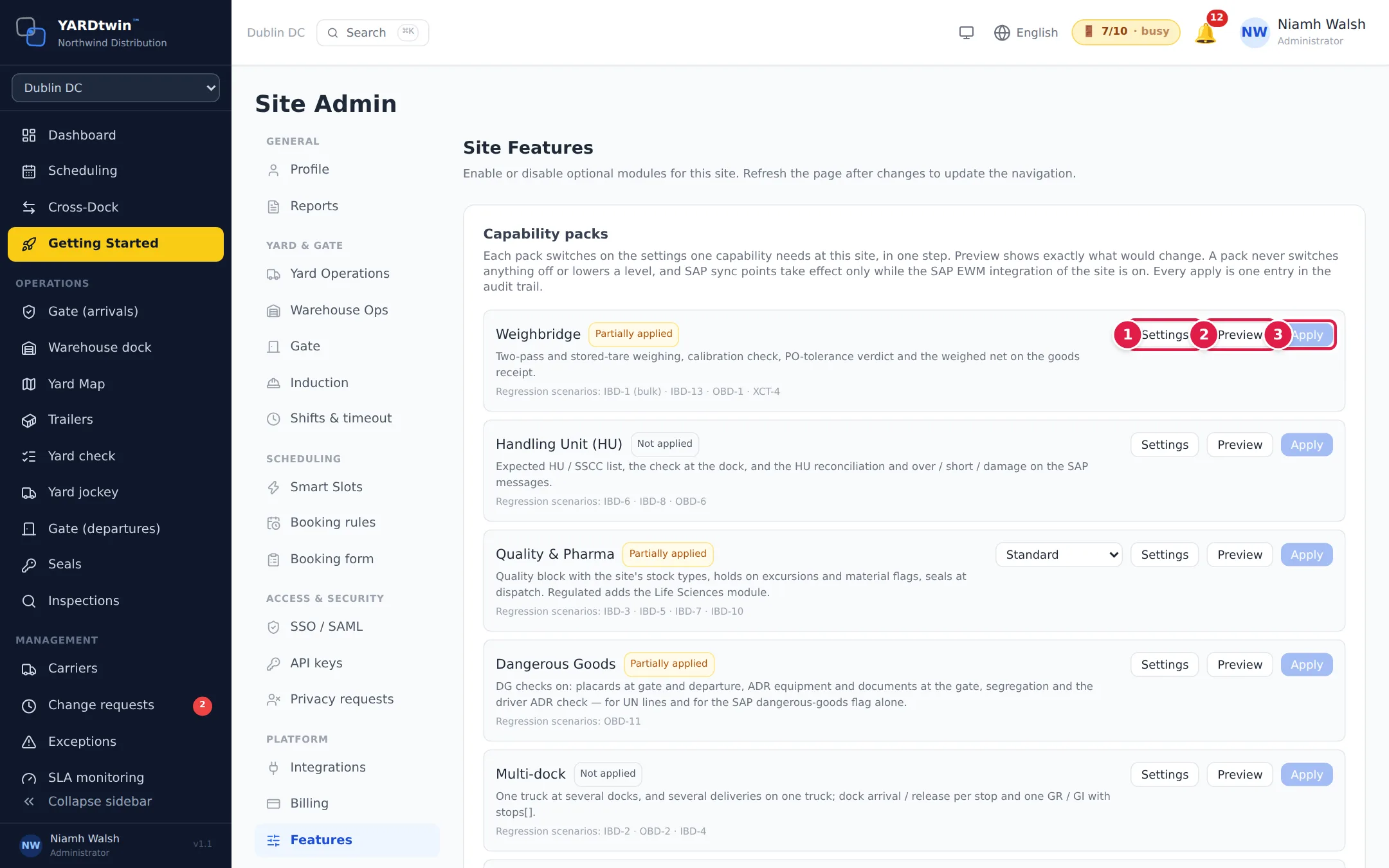
- Settings lists every setting the pack covers, with its value now.
- Preview shows exactly what applying the pack would change.
- Apply makes those changes. It becomes available after you preview, if there is something to change. Each apply is recorded as one entry in the audit trail.
A pack never switches anything off or lowers a level that's already stricter. Where a pack includes SAP sync points, they only take effect while the site's SAP integration is on. Some packs, such as Quality & Pharma, have more than one variant to choose from first. Only an administrator can apply a pack.
The packs are Weighbridge, Handling Unit (HU), Quality & Pharma, Dangerous Goods, Multi-dock, Drop & Hook, Customs-controlled Departure, Advanced Yard Operations and Multi-site Rollout.
Optional modules
Scroll down to Optional Modules. Each switch saves as soon as you click it.
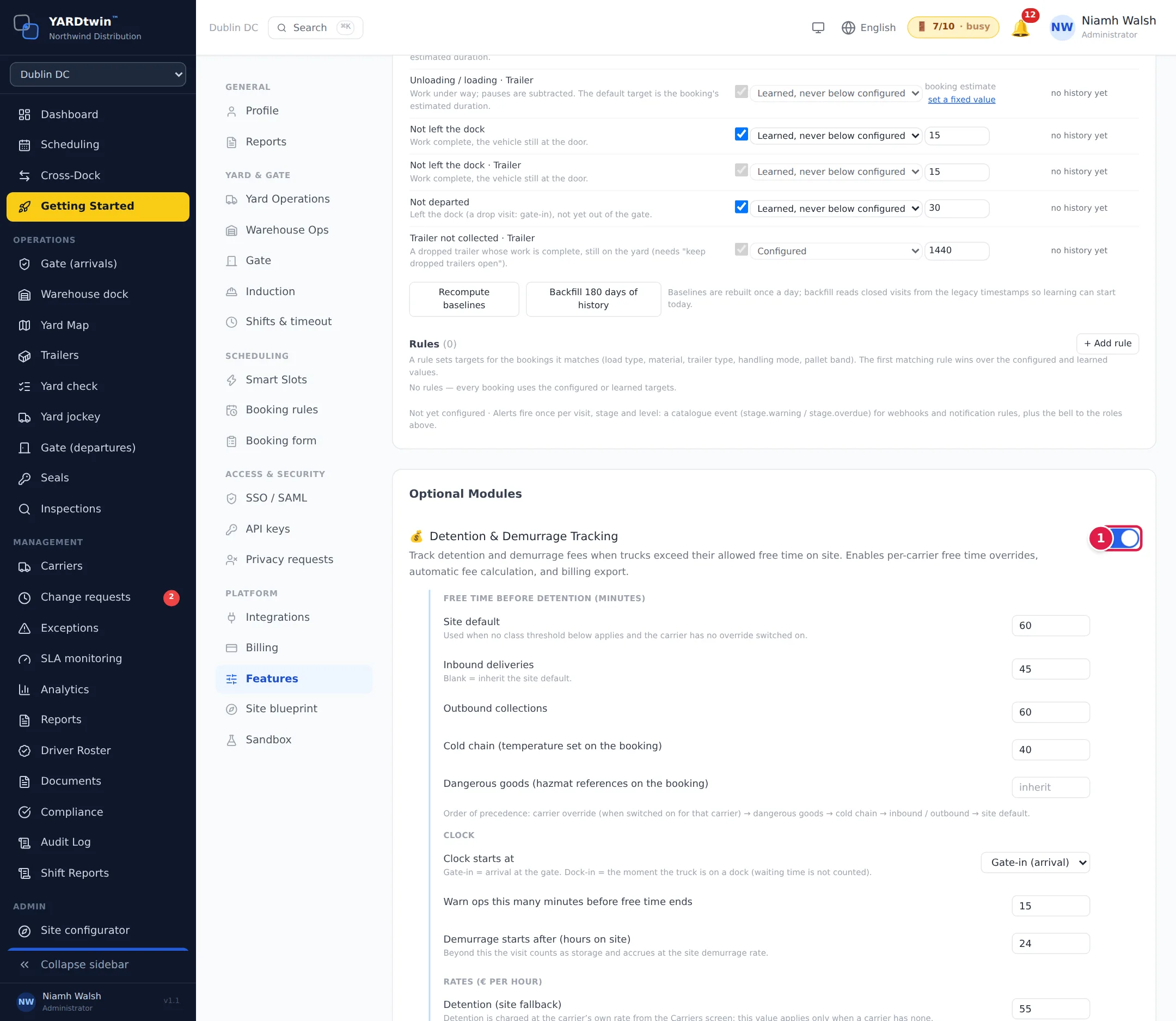
- Click the switch next to a module to turn it on or off.
| Module | What it adds |
|---|---|
| Detention & Demurrage Tracking | Charges for trucks that stay beyond their free time, with per-carrier overrides and a billing export. When on, set the free time, when the clock starts (at the gate or at the dock) and the rates. See Detention. |
| Yard Jockey Task Management | The Tasks page for yard jockey work queues. When on, Auto-create task on loading complete adds a move-to-departure task when loading finishes. See Yard tasks. |
| WIP Floor Tracking | Tracks which batch sits in which floor location, with scan-to-location moves. Part of the Professional and Enterprise plans. See Floor storage. |
| Life Sciences & Clinical Trials | Consignment classes, chain of custody, qualifications and cold-chain screens. When on, set the responsible person rule, custody continuity, dry-ice ventilation and how qualifications are checked at the gate. See Consignments. |
After switching a module on or off, refresh the page to update the menu.
Automation rules
Below the modules are the rules that run by themselves at this site. Each panel explains its settings, and most are off until you switch them on.
- Yard tasks: which events create move tasks for the yard jockeys, such as moving to the dock on check-in. You can add your own rules.
- Automatic dispatch of yard moves: gives each new move to an available jockey and orders their queue to cut empty driving.
- Messages & reminders: booking reminders to the carrier and driver before the slot, by e-mail and, if set up, SMS or WhatsApp. Every message is in the delivery log.
- Automatic no-show: marks a booking as a no-show when nothing arrived within the grace period after its slot. An operator can reverse it with a reason.
- Handling modes (drop & hook): the times a dock is reserved for drop and hook bookings, where dropped trailers park, and the driver's instructions.
- Order references: checks the order lines on a booking against your ERP or WMS, when an integration provides an order lookup.
- Carrier vetting: what to do with the results of carrier identity and insurance checks.
- Gate queue: shows waiting drivers their place in the queue, their dock and an estimated wait.
- ETA re-slotting: when a truck's arrival time slips past its slot, offers it the next free slot the same day, and the freed slot to an early truck.
- Notification rules: for each event, who is told, on which channel and with what wording. See Notifications.