YARDtwin has three plans. Every plan includes the whole day-to-day product. The plans differ in whether you connect YARDtwin to other systems, and how many sites you run under one account.
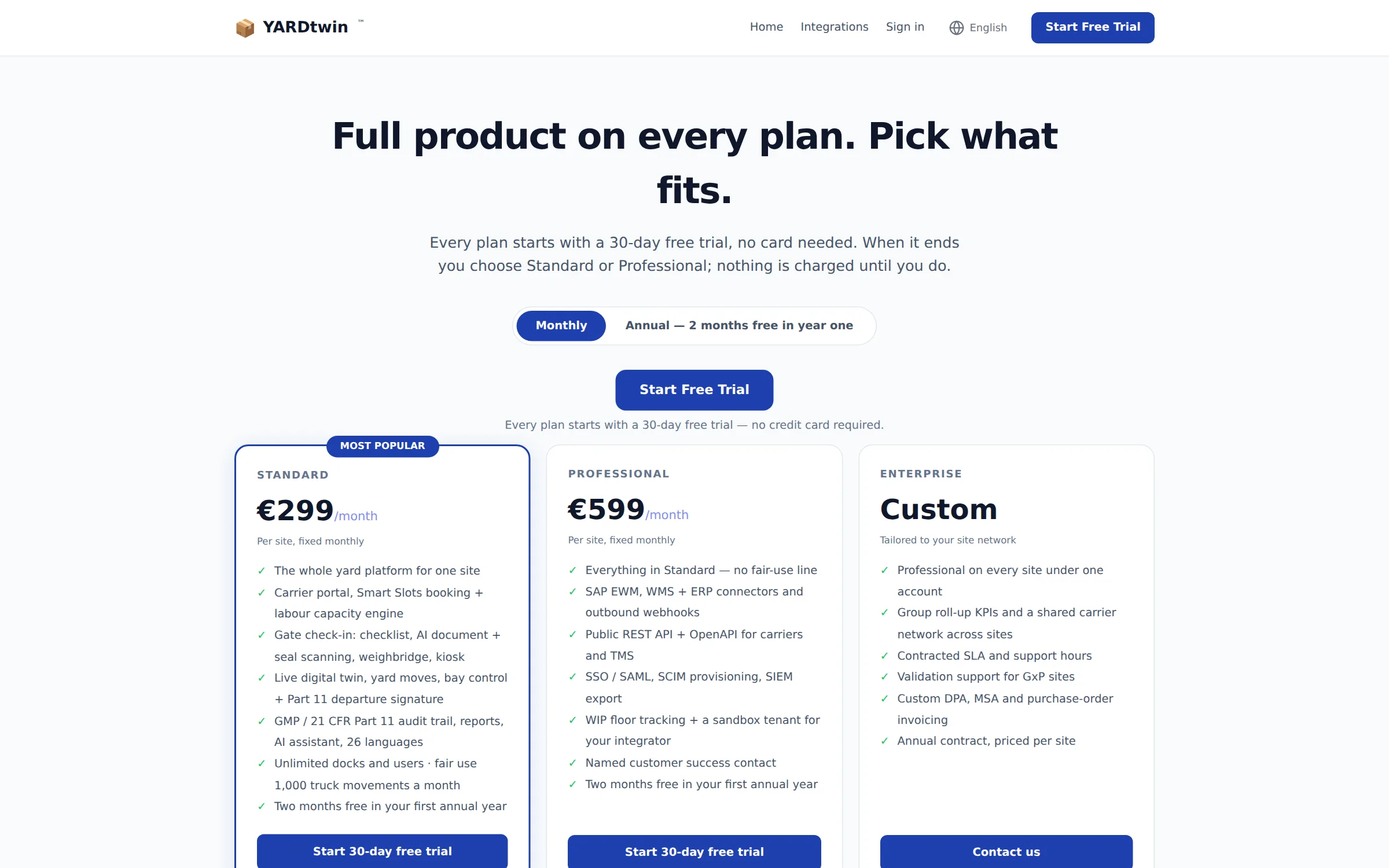
What each plan includes
Every plan includes bookings and the scheduling board, Smart Slots booking with the labour capacity check, the carrier portal, gate check-in and check-out, the live yard map, the dock screens, the dashboard and reports, the GMP audit trail and electronic signatures, the AI assistant, and all 26 languages. There's no limit on docks or users.
| Standard | Professional | Enterprise | |
|---|---|---|---|
| Price | €299 per site per month | €599 per site per month | Annual contract, priced per site |
| Sites under one account | 1 | 1 | As many as you need |
| Truck movements | Fair use of 1,000 a month (see below) | No line | No line |
| Integrations with SAP EWM, WMS and ERP systems, and outbound webhooks | — | ✓ | ✓ |
| Public API for carriers and transport systems | — | ✓ | ✓ |
| Single sign-on with your company's identity system (SAML) | — | ✓ | ✓ |
| WIP floor tracking | — | ✓ | ✓ |
| Group dashboard across sites | — | — | ✓ |
The topics in this guide name the plan a feature needs at the top, next to Plan. For Enterprise, contact admin@yardtwin.com.
The quickest way to choose is to ask two questions. Do you need to connect YARDtwin to SAP, a WMS or your company sign-in? Then choose Professional. Do you run more than one site? Then talk to us about Enterprise.
Which plan am I on?
Look at Usage this month on the dashboard. The plan name is shown under the title, for example Standard · October 2026 · day 11 of 31. Administrators also see the plan, and can change it, in Site Admin → Billing. See Billing.
The free trial
A new account starts with a 30-day free trial. You don't need a card to start.
- During the trial you can use every feature, on one site.
- In the last 7 days, a yellow banner at the top of each page counts down, for example 5 days left on your free trial. An administrator can click Add Payment to go straight to billing.
- When the trial ends, nothing is deleted. Your administrator picks Standard or Professional and adds a payment method in Site Admin → Billing.
To start a trial, see Create your account.
The fair-use line of truck movements
The Standard plan includes fair use of 1,000 truck movements a month. This is an information line, not a meter:
- Nothing is blocked. Bookings and the gate carry on as normal past the line.
- Nothing is charged per movement.
- If you regularly go past it, we'll get in touch about Professional, which has no line.
A movement is counted each time a truck is checked in at the gate. The same vehicle checking in again within 4 hours isn't counted twice, and test bookings aren't counted. The count starts again on the first of each month.
Where you see it:
- On the dashboard, Usage this month shows Fair use this month, for example 640 / 1,000, with a bar.
- At 80% of the line, a banner appears at the top of every page: You're close to the fair-use line of 1,000 truck movements a month. Nothing changes at the line — bookings and the gate carry on as normal.
- Past the line, it says: You've passed the fair-use line of 1,000 truck movements this month. Nothing is blocked and nothing is billed per movement — we'll be in touch about Professional, which has no line.
Professional and Enterprise have no line, so this banner never appears for them.
If something goes wrong
- A banner says "Payment past due." The last payment failed. An administrator can click Update Payment to fix the card in Site Admin → Billing.
- The whole screen says "Trial Expired", "Account Cancelled" or "Account Suspended". Your company's subscription needs attention. Your data is kept. An administrator can click Add Payment Method (or Settle Balance & Reactivate). Anyone else can click Sign Out and let their administrator know. For help, write to admin@yardtwin.com.
- "Your plan allows 1 site. Upgrade to add more." Only Enterprise runs more than one site under one account.