This page is for drivers.
Some sites ask every driver to complete a short online induction: read the site rules and answer a few questions. If you haven't done it, the gate may warn the gatehouse or refuse you entry until a manager overrides it. Doing it on your phone before you arrive saves time at the gate.
Steps
Open your booking's status page (the Track your visit link from your booking e-mail). If the site needs an induction from you, a Site induction required card appears: tap it. See What the driver sees on their phone.
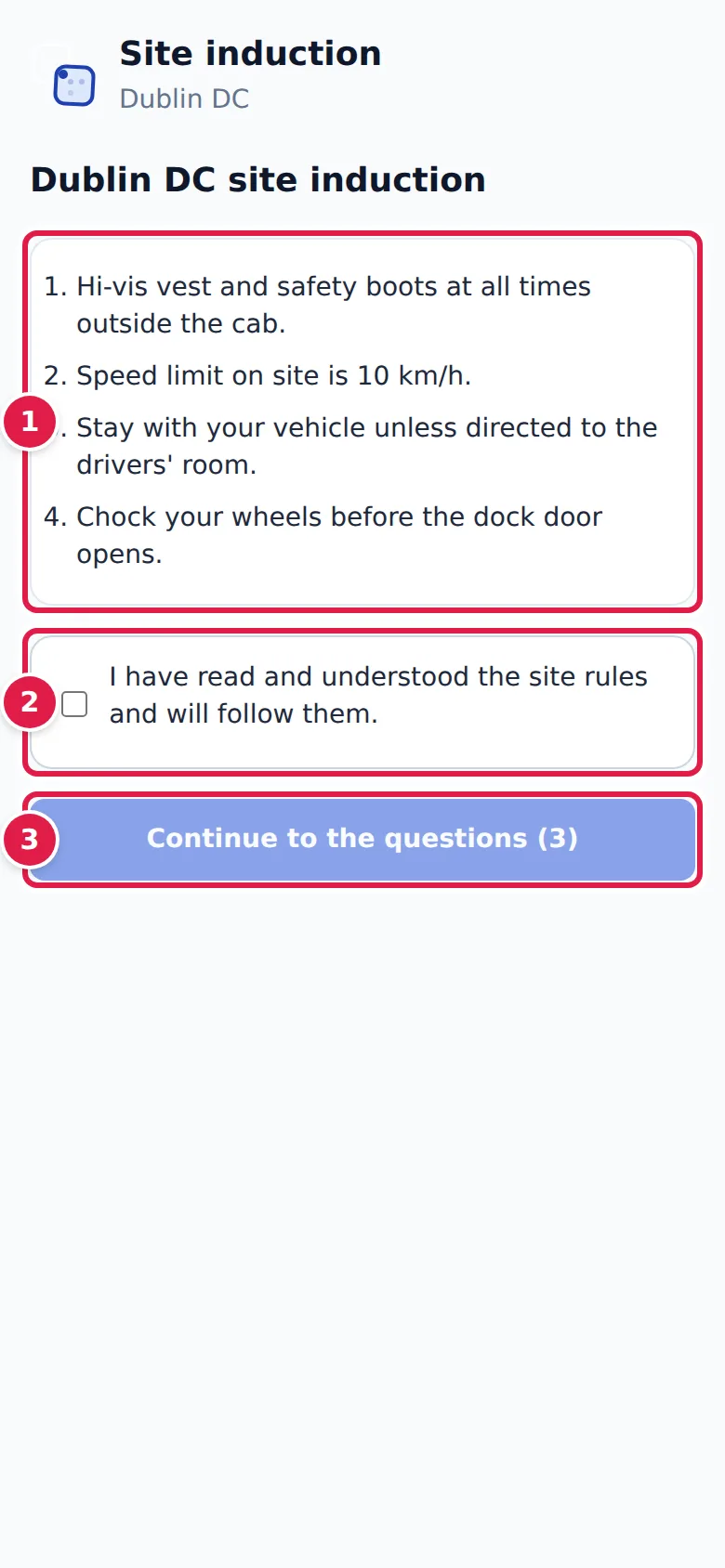
- Read the site rules. If the site has a safety video, Watch the site safety video appears above them.
- Tick I have read and understood the site rules and will follow them.
- Tap Continue to the questions; the number on the button is how many questions there are. (If the site has no questions, tap Confirm instead.)
Then answer every question; some say Select all that apply, and the pass mark is shown at the top. Back to the rules lets you reread them. Tap Submit answers.
What you'll see
- Passed, with your score, the pass mark, and Valid until the date your pass expires. Download certificate (PDF) saves a copy.
- Not passed, with your score. Tap Try again to have another go; the button shows how many attempts you have left today.
Back to my booking status returns to your status page.
Your result is recorded against your booking. If you are on the site's driver roster, the pass is saved under your name so it covers your next visits too, until it expires; otherwise the page tells you to ask the gatehouse to add you.
For the site
Administrators set up the induction under Site Admin → Induction: the title, an optional video link, the site rules, the questions and correct answers, the pass mark, how many days a pass is valid, how many attempts a driver gets per day, and what happens At the gate for a driver without a pass: Not checked, Warn the gatehouse, or Refuse entry (manager override). Preview as a driver shows the induction as drivers see it. See Gate settings.
The status-page card appears only when the gate checks inductions (warn or refuse) and the driver has no current pass.
If something goes wrong
- "Open this page from the link in your booking confirmation so your result is recorded." The page was opened without your booking's link. Open it from your status page instead.
- "This site has no online induction. Please report to the gatehouse." The site hasn't set up an online induction. The gatehouse will brief you.
- "No attempts left today. Please try again tomorrow or ask at the gatehouse." You have used today's attempts.
- "The induction could not be loaded. Please try again." or "Your answers could not be submitted." Check your phone's connection and try again.